


Find the answers to your questions about the Reliable Professional Vacuum Boards
6000VB Professional Vacuum Pressing Table

What does the vacuum function do?
The powerful 0.8 HP vacuum motor draws moisture and steam through the ironing surface, helping garments cool and set more quickly. This produces crisp, professional-quality results while reducing pressing time.
Can I adjust the temperature of the heated work surface?
Yes. The heated pressing surface includes an external thermostat control, allowing you to select the appropriate temperature for different fabrics/use.
Why isn't the vacuum motor working?
- Ensure the power cord is plugged into a working electrical outlet.
- Verify the power switch is turned on.
- Press one of the foot pedals to activate the vacuum.
- If the motor still does not operate, disconnect the power and contact our support team.
Why is air blowing from the chimney?
This is normal. The chimney directs the exhaust air away from the operator while the vacuum motor is running.
Does the 6000VB require assembly?
Yes. Minimal assembly is required before first use. You will need to attach the exhaust chimney, install the iron cord support, and insert the rubber cushions into the base of the table. All required hardware is included. Instructions on how to assemble: https://www.reliablecorporation.com/cdn/shop/files/6000VB_manual_15_05_24.pdf
How do I care for the vacuum table?
Keep the ironing surface clean and free of lint or debris. Periodically check that the chimney, cord support, and hardware remain securely fastened. Ensure the air exhaust is not obstructed so the vacuum motor can operate efficiently.
Why isn't the heated surface getting warm?
- Check that the table is connected to power and switched on.
- Confirm the thermostat is set according to use.
- Allow a few minutes for the work surface to reach the selected temperature.
- If the surface does not heat, discontinue use and contact our support team.
What should I do if I notice unusual noise, vibration, or a burning smell?
Turn the machine off immediately and disconnect it from the power source. Do not continue using the vacuum table until it has been inspected by a qualified service technician.
Where can I buy the replacement cover?
You can buy the replacement cover on our website: https://www.reliablecorporation.com/en-ca/products/62000vb-replacement-cover-set?_pos=10&_sid=a01cae2c3&_ss=r
How long is the warranty?
The 6000VB comes with a 1 Year Limited Warranty.
How do I service my vacuum board?
Please contact our Support Team at support@reliablecorporation.com or call us at 1-800-268-1649.
6200VB Professional Vacuum Pressing Table with Sleeve Buck

What does the vacuum function do?
The powerful 0.8 HP vacuum motor draws moisture and steam through the ironing surface, helping garments cool and set more quickly. This produces crisp, professional-quality results while reducing pressing time.
Can I adjust the temperature of the heated work surface?
Yes. The heated pressing surface includes an external thermostat control, allowing you to select the appropriate temperature for different fabrics/use.
Why isn't the vacuum motor working?
- Ensure the power cord is plugged into a working electrical outlet.
- Verify the power switch is turned on.
- Press one of the foot pedals to activate the vacuum.
- If the motor still does not operate, disconnect the power and contact our support team.
Why is air blowing from the chimney?
This is normal. The chimney directs the exhaust air away from the operator while the vacuum motor is running.
Does the 6200VB require assembly?
Yes. Minimal assembly is required before first use. You will need to attach the exhaust chimney, install the iron cord support, and insert the rubber cushions into the base of the table. All required hardware is included. Instructions on how to assemble: https://www.reliablecorporation.com/cdn/shop/files/6200VB_manual_15_05_24.pdf
Does the board require special electrical service?
Yes. The 6200VB requires a dedicated 20-amp electrical circuit with a 20-amp receptacle. This ensures the heating element and vacuum motor operate safely and at full performance.
Can I plug it into a standard household outlet?
No. A standard 15-amp outlet is not recommended. The unit requires a dedicated 20-amp receptacle and circuit.
How do I care for the vacuum table?
Keep the ironing surface clean and free of lint or debris. Periodically check that the chimney, cord support, and hardware remain securely fastened. Ensure the air exhaust is not obstructed so the vacuum motor can operate efficiently.
Why isn't the heated surface getting warm?
- Check that the table is connected to power and switched on.
- Confirm the thermostat is set according to use.
- Allow a few minutes for the work surface to reach the selected temperature.
- If the surface does not heat, discontinue use and contact our support team.
What should I do if I notice unusual noise, vibration, or a burning smell?
Turn the machine off immediately and disconnect it from the power source. Do not continue using the vacuum table until it has been inspected by a qualified service technician.
Where can I buy the replacement cover?
You can buy the replacement cover on our website: https://www.reliablecorporation.com/products/62000vb-replacement-cover-set?_pos=13&_sid=de1bc36be&_ss=r
Sleeve buck cover: https://www.reliablecorporation.com/products/6200vb-6600vb-sleeve-buck-replacement-cover-set?_pos=1&_sid=6c9ab6d43&_ss=r
How long is the warranty?
When the boiler is generating steam, the red light on the boiler switch will be on. When it reaches maximum pressure the light will then go off. This will happen frequently while the unit is in use and is normal.
How do I service my vacuum board?
Please contact our Support Team at support@reliablecorporation.com or call us at 1-800-268-1649.
6600VB Professional Rectangular Vacuum Pressing Table with Sleeve Buck
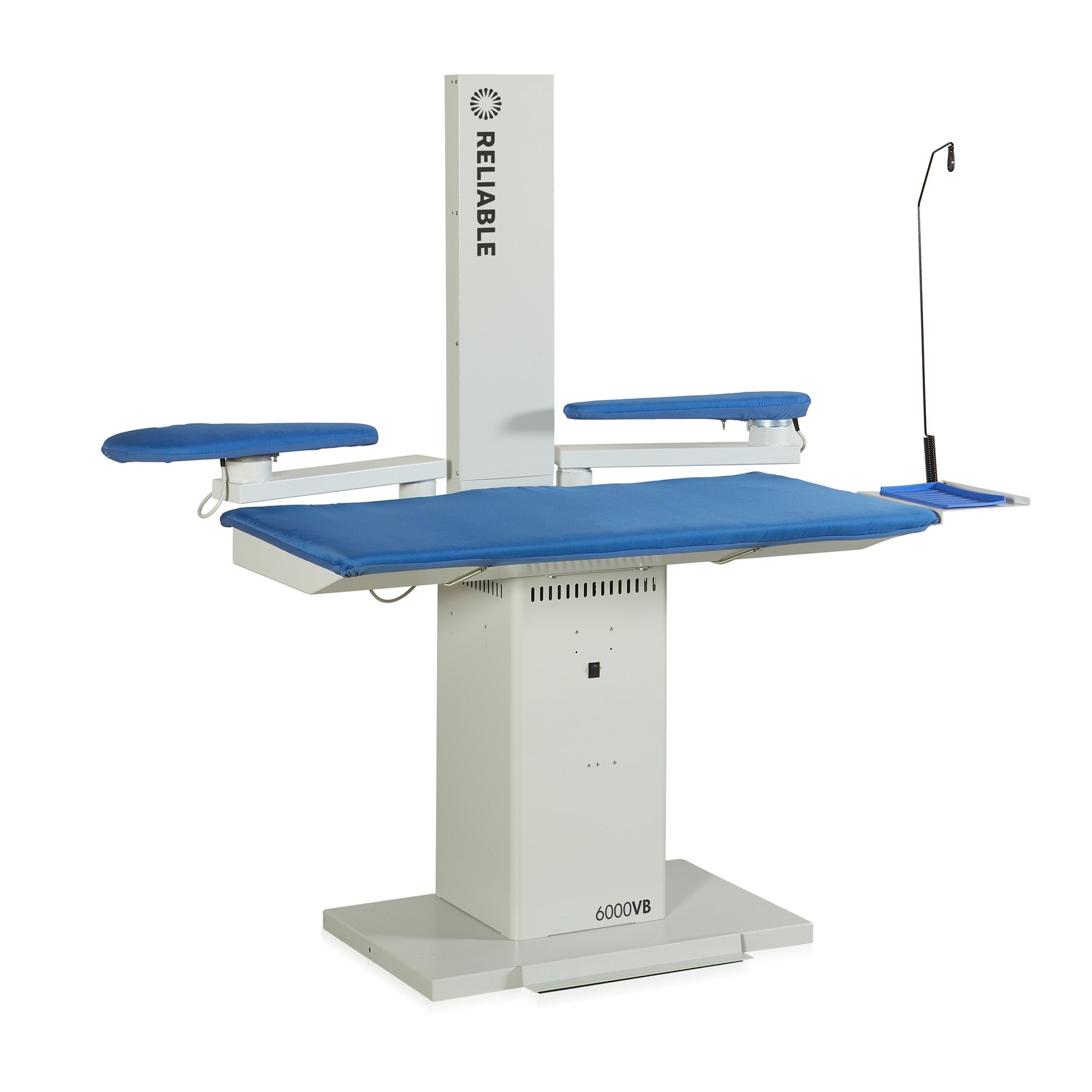
What does the vacuum function do?
The powerful 0.8 HP vacuum motor draws moisture and steam through the ironing surface, helping garments cool and set more quickly. This produces crisp, professional-quality results while reducing pressing time.
Can I adjust the temperature of the heated work surface?
Yes. The heated pressing surface includes an external thermostat control, allowing you to select the appropriate temperature for different fabrics/use.
Why isn't the vacuum motor working?
- Ensure the power cord is plugged into a working electrical outlet.
- Verify the power switch is turned on.
- Press one of the foot pedals to activate the vacuum.
- If the motor still does not operate, disconnect the power and contact our support team.
Why is air blowing from the chimney?
This is normal. The chimney directs the exhaust air away from the operator while the vacuum motor is running.
Does the 6600VB require assembly?
Yes. Minimal assembly is required before first use. You will need to attach the exhaust chimney, install the iron cord support, and insert the rubber cushions into the base of the table. All required hardware is included.
Instructions on how to assemble: https://www.reliablecorporation.com/cdn/shop/files/6600VB_manual_15_05_24_68c3dcee-8850-4664-89e1-6b378a468650.pdf
Does the board include sleeve and utility bucks?
Yes. The 6600VB includes a heated sleeve arm and utility buck with vacuum capability, making it easier to press sleeves, cuffs, collars, pant legs, and smaller garment sections.
Does the board require special electrical service?
Yes. The 6600VB requires a dedicated 20-amp electrical circuit with a 20-amp receptacle. This ensures the heating element and vacuum motor operate safely and at full performance.
Can I plug it into a standard household outlet?
No. A standard 15-amp outlet is not recommended. The unit requires a dedicated 20-amp receptacle and circuit.
How do I care for the vacuum table?
Keep the ironing surface clean and free of lint or debris. Periodically check that the chimney, cord support, and hardware remain securely fastened. Ensure the air exhaust is not obstructed so the vacuum motor can operate efficiently.
Why isn't the heated surface getting warm?
- Check that the table is connected to power and switched on.
- Confirm the thermostat is set according to use.
- Allow a few minutes for the work surface to reach the selected temperature.
- If the surface does not heat, discontinue use and contact our support team.
What should I do if I notice unusual noise, vibration, or a burning smell?
Turn the machine off immediately and disconnect it from the power source. Do not continue using the vacuum table until it has been inspected by a qualified service technician.
Where can I buy the replacement cover?
You can buy the replacement cover on our website: https://www.reliablecorporation.com/collections/6600vb-accessories/products/626ha-6600vb-replacement-cover-set
Sleeve buck replacement cover: https://www.reliablecorporation.com/en-ca/products/6200vb-6600vb-sleeve-buck-replacement-cover-set?pr_prod_strat=e5_desc&pr_rec_id=528259db4&pr_rec_pid=8706692038&pr_ref_pid=8706700422&pr_seq=uniform
Utility buck replacement cover: https://www.reliablecorporation.com/products/6200vb-6600vb-utility-buck-replacement-cover-set?pr_prod_strat=e5_desc&pr_rec_id=454f48091&pr_rec_pid=8706692614&pr_ref_pid=8706692038&pr_seq=uniform
How long is the warranty?
The 6600VB comes with a 1 Year Limited Warranty.
How do I service my vacuum board?
Please contact our Support Team at support@reliablecorporation.com or call us at 1-800-268-1649.
7200VB Professional Vacuum & Up-Air Pressing Table
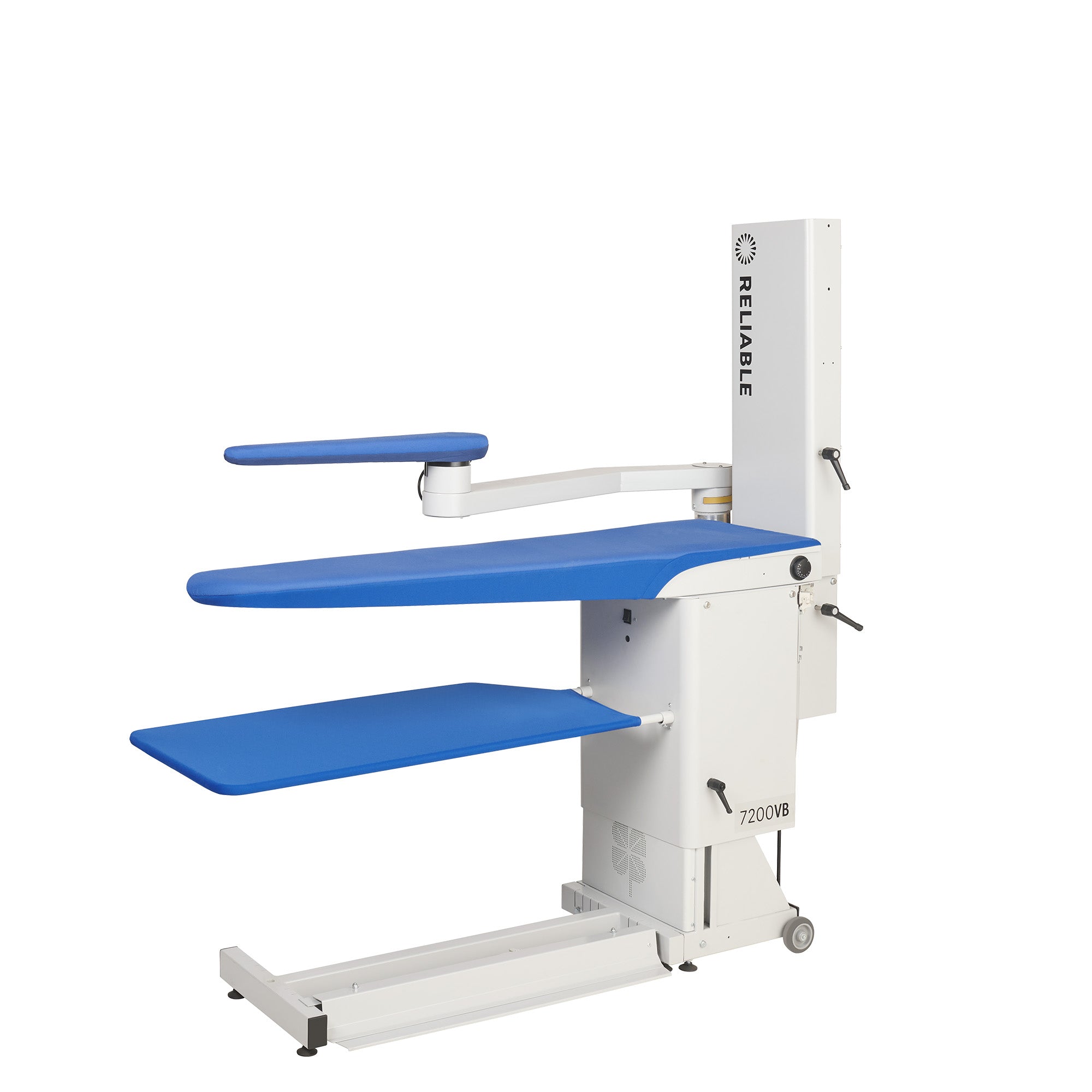
What does the vacuum function do?
The powerful 0.8 HP vacuum motor draws moisture and steam through the ironing surface, helping garments cool and set more quickly. This produces crisp, professional-quality results while reducing pressing time.
Can I adjust the temperature of the heated work surface?
Yes. The heated pressing surface includes an external thermostat control, allowing you to select the appropriate temperature for different fabrics/use.
Why isn't the vacuum motor working?
- Ensure the power cord is plugged into a working electrical outlet.
- Verify the power switch is turned on.
- Press one of the foot pedals to activate the vacuum.
- If the motor still does not operate, disconnect the power and contact our support team.
Why is air blowing from the chimney?
This is normal. The chimney directs the exhaust air away from the operator while the vacuum motor is running.
Does the 7200VB require assembly?
Yes. Minimal assembly is required before first use. You will need to attach the exhaust chimney, install the iron cord support, and insert the rubber cushions into the base of the table.
All required hardware is included. Instructions on how to assemble: https://www.reliablecorporation.com/cdn/shop/files/7200VB_manual_15_05_24.pdf
What is the Up-Air (blowing) function, and when should I use it?
The Up-Air (blowing) function creates a cushion of air between the garment and the vacuum board, making it ideal for delicate fabrics. It helps prevent impressions, protects the nap on fabrics like velvet, and allows you to press dark garments without creating unwanted shine marks.
Does the board require special electrical service?
Yes. The 7200VB requires a dedicated 20-amp electrical circuit with a 20-amp receptacle. This ensures the heating element and vacuum motor operate safely and at full performance.
Can I plug it into a standard household outlet?
No. A standard 15-amp outlet is not recommended. The unit requires a dedicated 20-amp receptacle and circuit.
How do I care for the vacuum table?
Keep the ironing surface clean and free of lint or debris. Periodically check that the chimney, cord support, and hardware remain securely fastened. Ensure the air exhaust is not obstructed so the vacuum motor can operate efficiently.
Why isn't the heated surface getting warm?
- Check that the table is connected to power and switched on.
- Confirm the thermostat is set according to use.
- Allow a few minutes for the work surface to reach the selected temperature.
- If the surface does not heat, discontinue use and contact our support team.
What should I do if I notice unusual noise, vibration, or a burning smell?
Turn the machine off immediately and disconnect it from the power source. Do not continue using the vacuum table until it has been inspected by a qualified service technician.
Where can I buy the replacement cover?
You can buy the replacement cover on our website: https://www.reliablecorporation.com/en-ca/products/7200vb-724hab-replacement-cover-set?_pos=1&_sid=672cdd231&_ss=r
Sleeve buck replacement cover: https://www.reliablecorporation.com/products/6200vb-6600vb-sleeve-buck-replacement-cover-set?_pos=3&_sid=672cdd231&_ss=r
How long is the warranty?
The 7200VB comes with a 1-Year Limited Warranty.
How do I service my vacuum board?
Please contact our Support Team at support@reliablecorporation.com or call us at 1-800-268-1649.
7600VB Professional Rectangular Vacuum & Up-Air Pressing Table
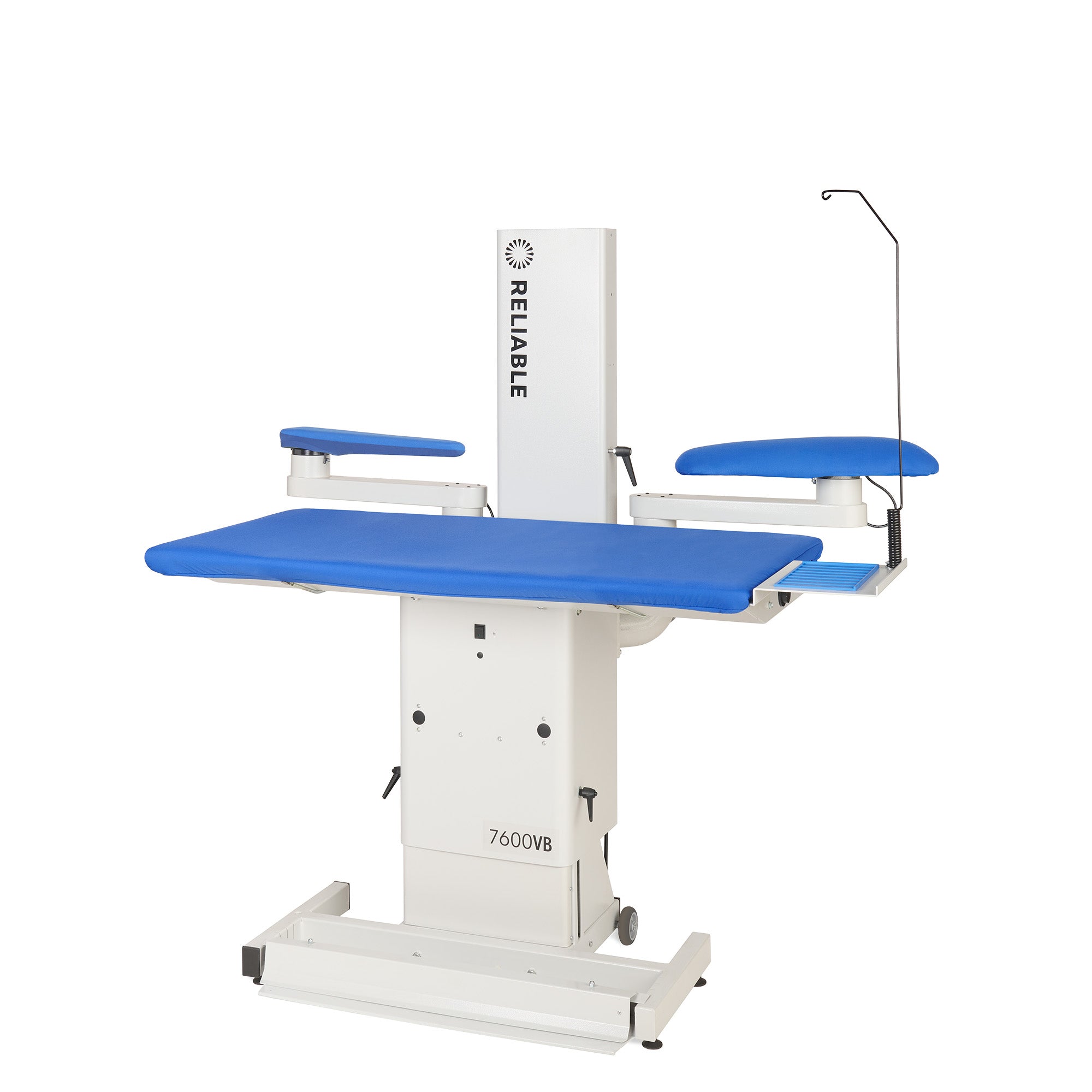
What does the vacuum function do?
The powerful 0.8 HP vacuum motor draws moisture and steam through the ironing surface, helping garments cool and set more quickly. This produces crisp, professional-quality results while reducing pressing time.
Can I adjust the temperature of the heated work surface?
Yes. The heated pressing surface includes an external thermostat control, allowing you to select the appropriate temperature for different fabrics/use.
Why isn't the vacuum motor working?
- Ensure the power cord is plugged into a working electrical outlet.
- Verify the power switch is turned on.
- Press one of the foot pedals to activate the vacuum.
- If the motor still does not operate, disconnect the power and contact our support team.
Why is air blowing from the chimney?
This is normal. The chimney directs the exhaust air away from the operator while the vacuum motor is running.
Does the 7600VB require assembly?
Yes. Minimal assembly is required before first use. You will need to attach the exhaust chimney, install the iron cord support, and insert the rubber cushions into the base of the table. All required hardware is included.
Instructions on how to assemble: https://www.reliablecorporation.com/cdn/shop/files/7600VB_manual_15_05_24.pdf
What is the Up-Air (blowing) function, and when should I use it?
The Up-Air (blowing) function creates a cushion of air between the garment and the vacuum board, making it ideal for delicate fabrics. It helps prevent impressions, protects the nap on fabrics like velvet, and allows you to press dark garments without creating unwanted shine marks.
Does the board include sleeve and utility bucks?
Yes. The 7600VB includes a heated sleeve arm and utility buck with vacuum capability, making it easier to press sleeves, cuffs, collars, pant legs, and smaller garment sections.
Does the board require special electrical service?
Yes. The 7600VB requires a dedicated 20-amp electrical circuit with a 20-amp receptacle. This ensures the heating element and vacuum motor operate safely and at full performance.
Can I plug it into a standard household outlet?
No. A standard 15-amp outlet is not recommended. The unit requires a dedicated 20-amp receptacle and circuit.
How do I care for the vacuum table?
Keep the ironing surface clean and free of lint or debris. Periodically check that the chimney, cord support, and hardware remain securely fastened. Ensure the air exhaust is not obstructed so the vacuum motor can operate efficiently.
Why isn't the heated surface getting warm?
- Check that the table is connected to power and switched on.
- Confirm the thermostat is set according to use.
- Allow a few minutes for the work surface to reach the selected temperature.
- If the surface does not heat, discontinue use and contact our support team.
What should I do if I notice unusual noise, vibration, or a burning smell?
Turn the machine off immediately and disconnect it from the power source. Do not continue using the vacuum table until it has been inspected by a qualified service technician.
Where can I buy the replacement cover?
You can buy the replacement cover on our website: https://www.reliablecorporation.com/products/726hab-7600vb-replacement-cover-set?_pos=1&_sid=ec8e079d7&_ss=r
Sleeve buck replacement cover: https://www.reliablecorporation.com/products/6200vb-6600vb-sleeve-buck-replacement-cover-set?_pos=3&_sid=ec8e079d7&_ss=r
Utility buck replacement cover: https://www.reliablecorporation.com/products/6200vb-6600vb-utility-buck-replacement-cover-set?_pos=2&_sid=ec8e079d7&_ss=r
How long is the warranty?
The 7600VB comes with a 1 Year Limited Warranty.
How do I service my vacuum board?
Please contact our Support Team at support@reliablecorporation.com or call us at 1-800-268-1649.
